

Save an APEX Interactive Grid Before Opening a Modal #JoelKallmanDay
Introduction
I have had to use this technique a few times in the past couple of months, so I thought I would share it. I also haven't written a post about just APEX in a while!
Sometimes you want users to enter values in an Interactive Grid, and then click a link in the grid to open a modal and enter child records.
The challenge is that I need to save the Interactive Grid before opening the modal.
Use Case
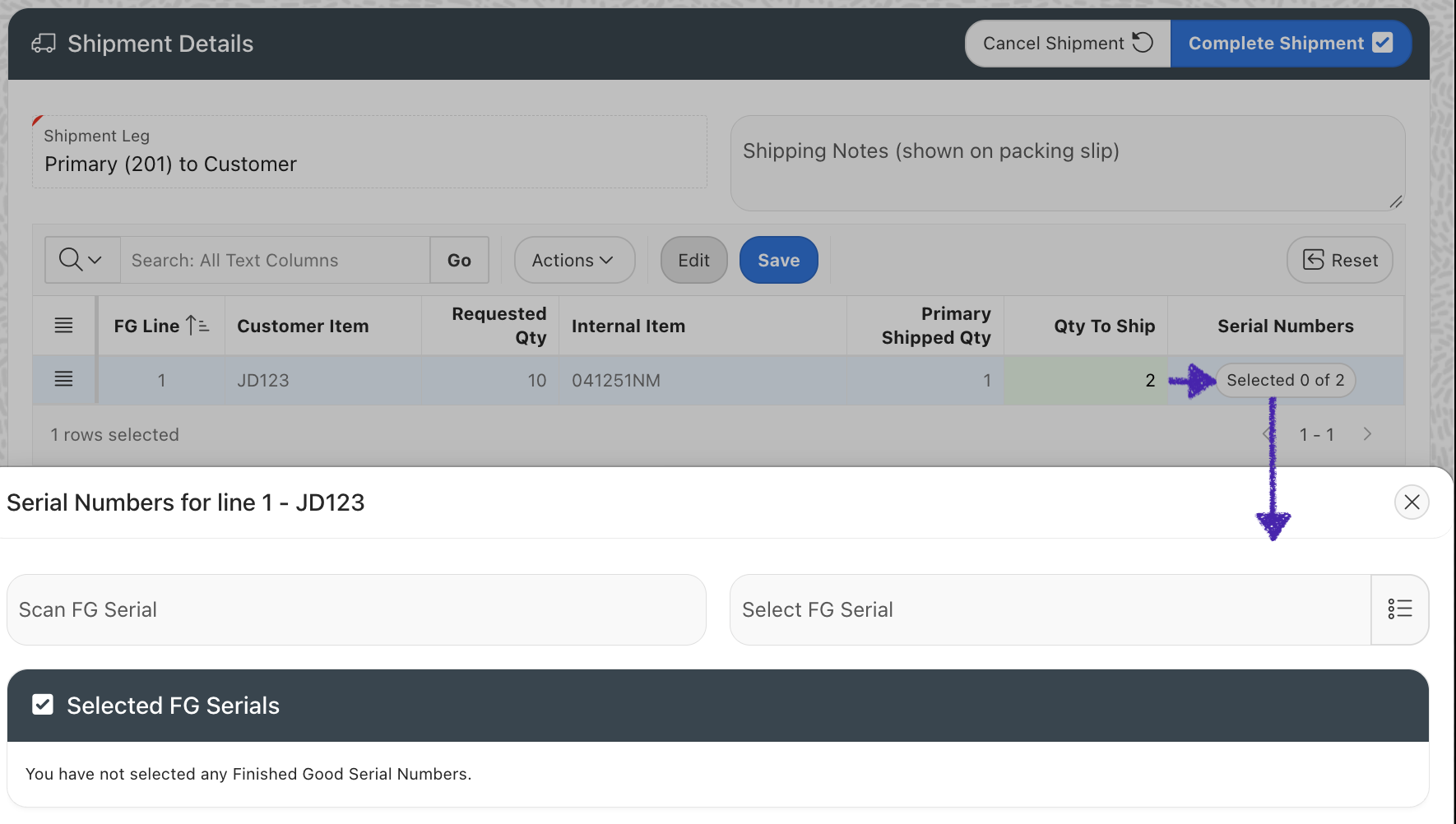
In my particular use case, users are selecting the quantity of each item to ship from an Interactive Grid and then clicking a Selected X of Y button on the IG record to open a modal to select the serial numbers. We need the item's quantity to ship saved before we can open the modal so that they enter the correct number of serial numbers.
The user enters 2 in Qty To Ship and clicks the Selected 0 of 0 button. The grid saves, the button updates to Selected 0 of 2, and then the modal opens.
In my example, the button label comes from the grid query: the number of selected serials followed by the saved quantity to ship. The updated label reflects the saved row values; the JavaScript below does not request a separate region refresh.
What We Need to Do
In short, we need to:
Generate a link which we can use to open the modal.
Intercept the click event on the Selected X of Y button.
Run JavaScript to save the Interactive Grid.
If there are no errors saving, then open the modal.
Generate a URL in the IG Query
I generate the URL in the Interactive Grid SQL using apex_page.get_url, so the JavaScript can follow it after saving.

Page 132 is my serial-selection modal. I clear its cache and pass the evaluation ID, the clicked row's FG_LINE_ID, and the shipment leg. The modal can then read the saved quantity for that line.
p_triggering_element associates the dialog with the grid region, whose Static ID is evl_ship_lines. This also gives us a stable element for a Dialog Closed Dynamic Action when the modal closes.
Link Setup
I am using the SERIAL_COUNT column (Selected X of Y) for the button link:
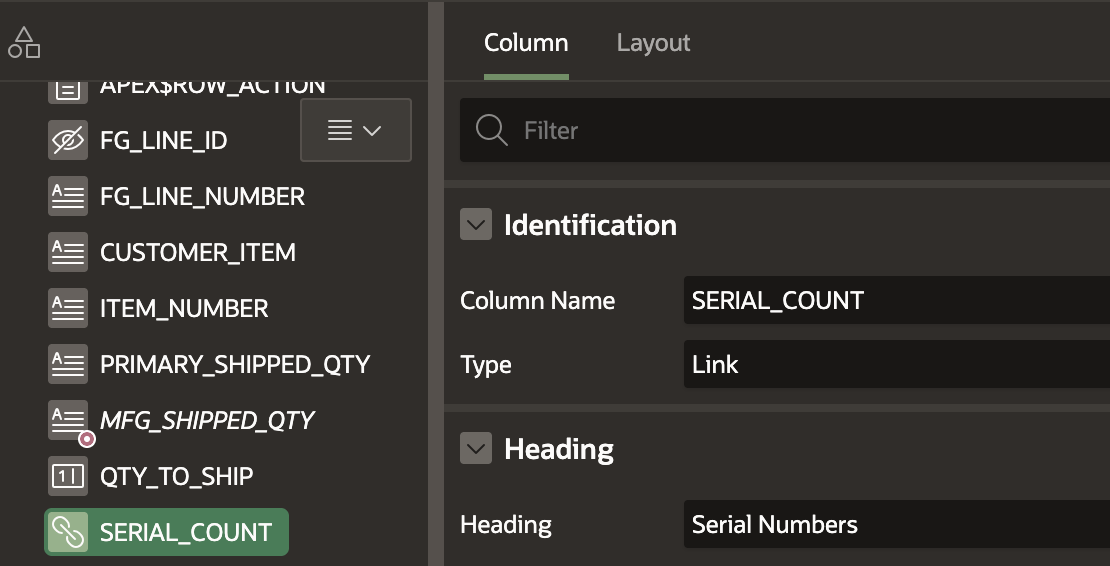
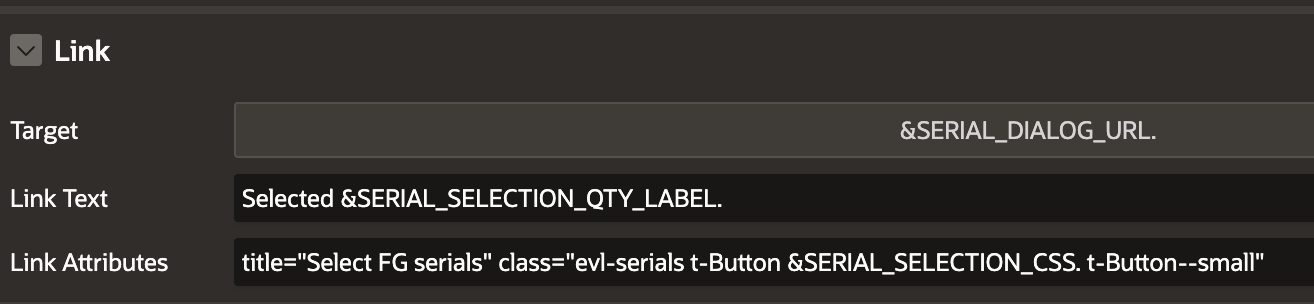
In the Link settings, I include the &SERIAL_DIALOG_URL. in the "Target" and a custom CSS class evl-serials in the "Link Attributes".
Intercept the Click Event, Save & Open the Modal
For this, we need to create a Dynamic Action on a click of the evl-serials CSS class. The jQuery selector of .evl-serials handles this:
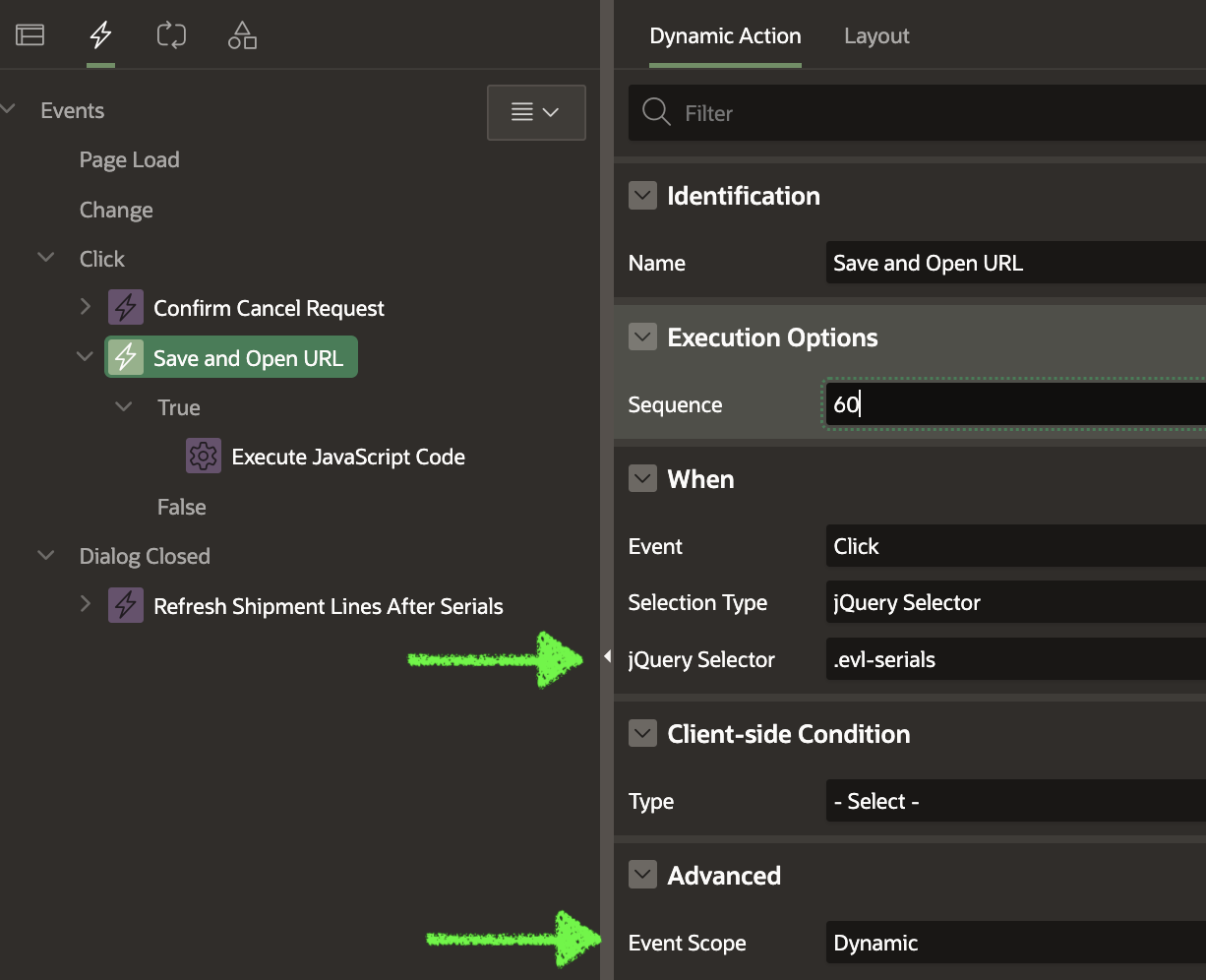
Set Event Scope to Dynamic so the click handler still works when the grid recreates its links after a refresh. The JavaScript below uses the region Static ID evl_ship_lines.
For the True action, choose Execute JavaScript Code and set Fire on Initialization to No. We only want this code to run when the user clicks the link:
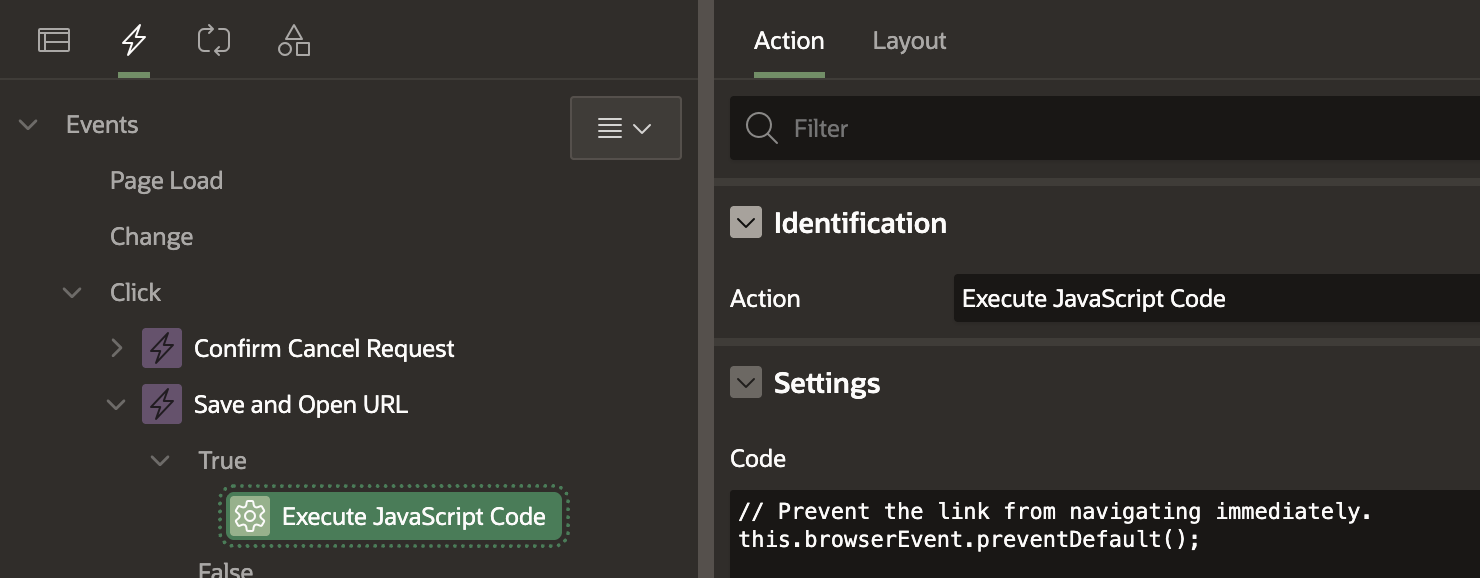
Complete JavaScript Code for the Dynamic Action
// Prevent the link from navigating immediately.
this.browserEvent.preventDefault();

// Save the target URL so we can navigate to it after the IG is saved.
const url = this.triggeringElement.href;

// Get the Interactive Grid region and grid view.
const region = apex.region("evl_ship_lines");
const grid   = region.call("getViews", "grid");

// Finish editing the current cell so its value is written to the IG model.
grid.view$.grid("finishEditing").done(function () {

  // If there are no unsaved changes, follow the link immediately.
  if (!grid.model.isChanged()) {
    apex.navigation.redirect(url);
    return;
  }

  // Register the save-complete listener BEFORE triggering the save,
  // so we cannot miss the interactivegridsave event.
  region.element.one("interactivegridsave", function (event, data) {
    if (data.status === "success") {
      apex.navigation.redirect(url);
    }
  });

  // Now trigger the Interactive Grid's standard Save action.
  region.call("getActions").invoke("save");
});
Remember: this uses the grid's standard Save action, so it saves all pending changes in the grid, including changes to other rows.
Also, if the save fails, the modal stays closed so the user can correct the errors and try again.
Conclusion
If a modal needs values that the user has just changed in an Interactive Grid, we need to save those changes before opening it. In my example, that means saving the quantity to ship before the user selects the serial numbers.
The important part is the order: finish editing the current cell, check for changes, and wait for a successful save before following the link. If there are no changes, we can open the modal straight away. This gives users one click to save their changes and move on to the child records, while keeping the modal closed if the save fails.