

Introduction
A common pattern in application development is allowing users to select one or more records and then perform some action based on the selection. I previously wrote how to do this with Interactive Grids: APEX Interactive Grid - Processing Selected Records. The solution in that post had a drawback: it involved quite a bit of custom JavaScript.
In APEX 24.1, the APEX development team has made our lives easier by enhancing Template Components to support declarative row selection.
Example
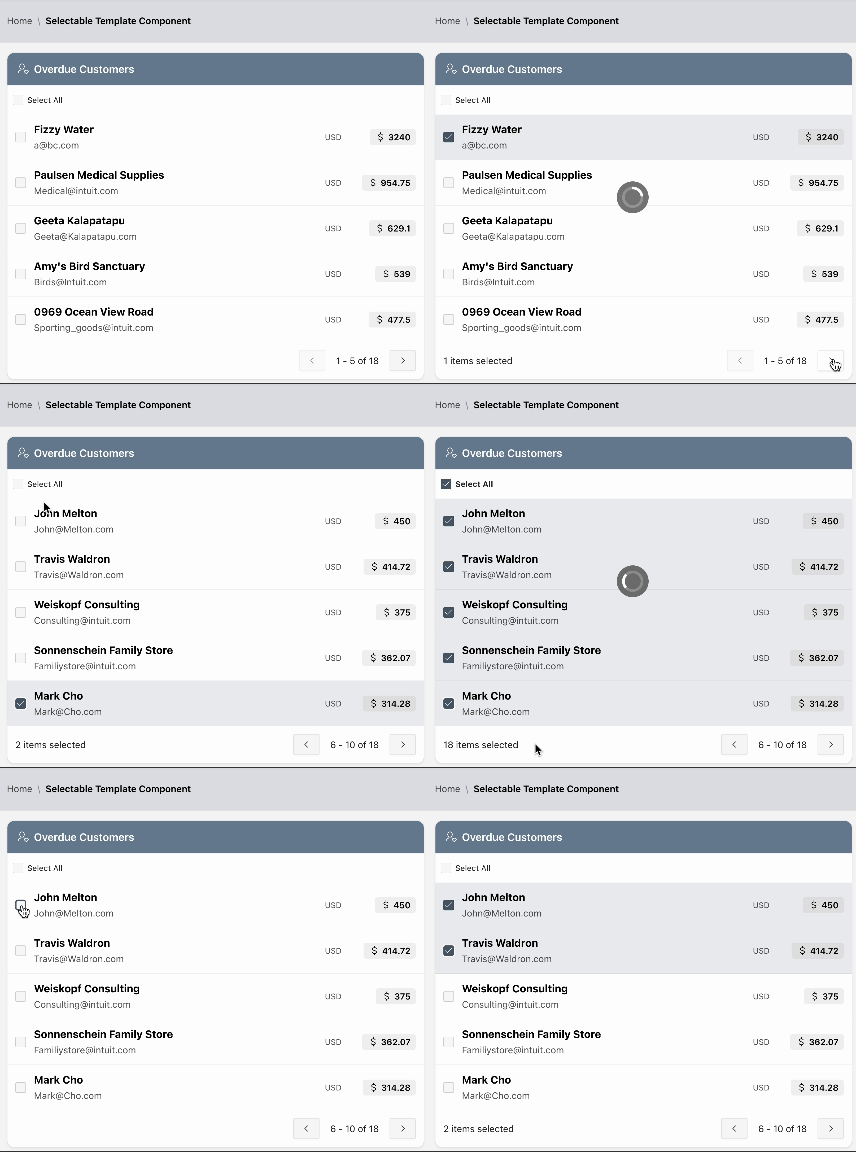
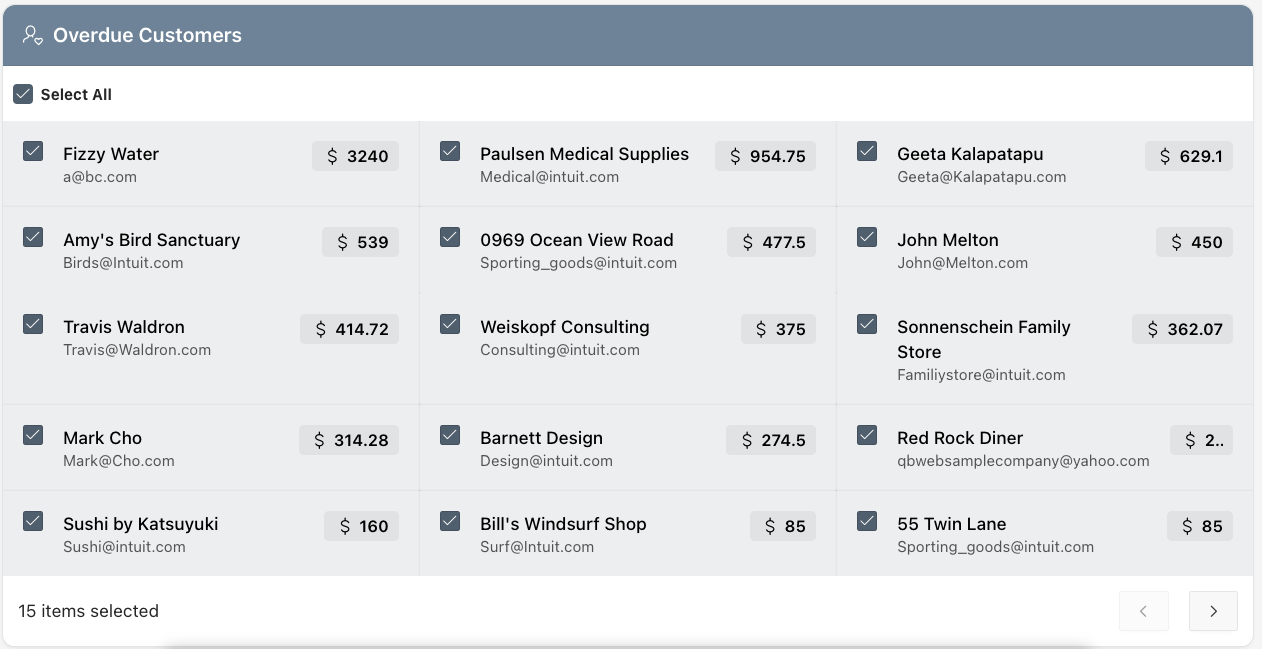
In this example, users can search for and select one or more customers to send a payment reminder. I have a simple table of customers (CNQB_CUSTOMERS) that have been integrated into APEX from Quickbooks.
Configuration
Template Component
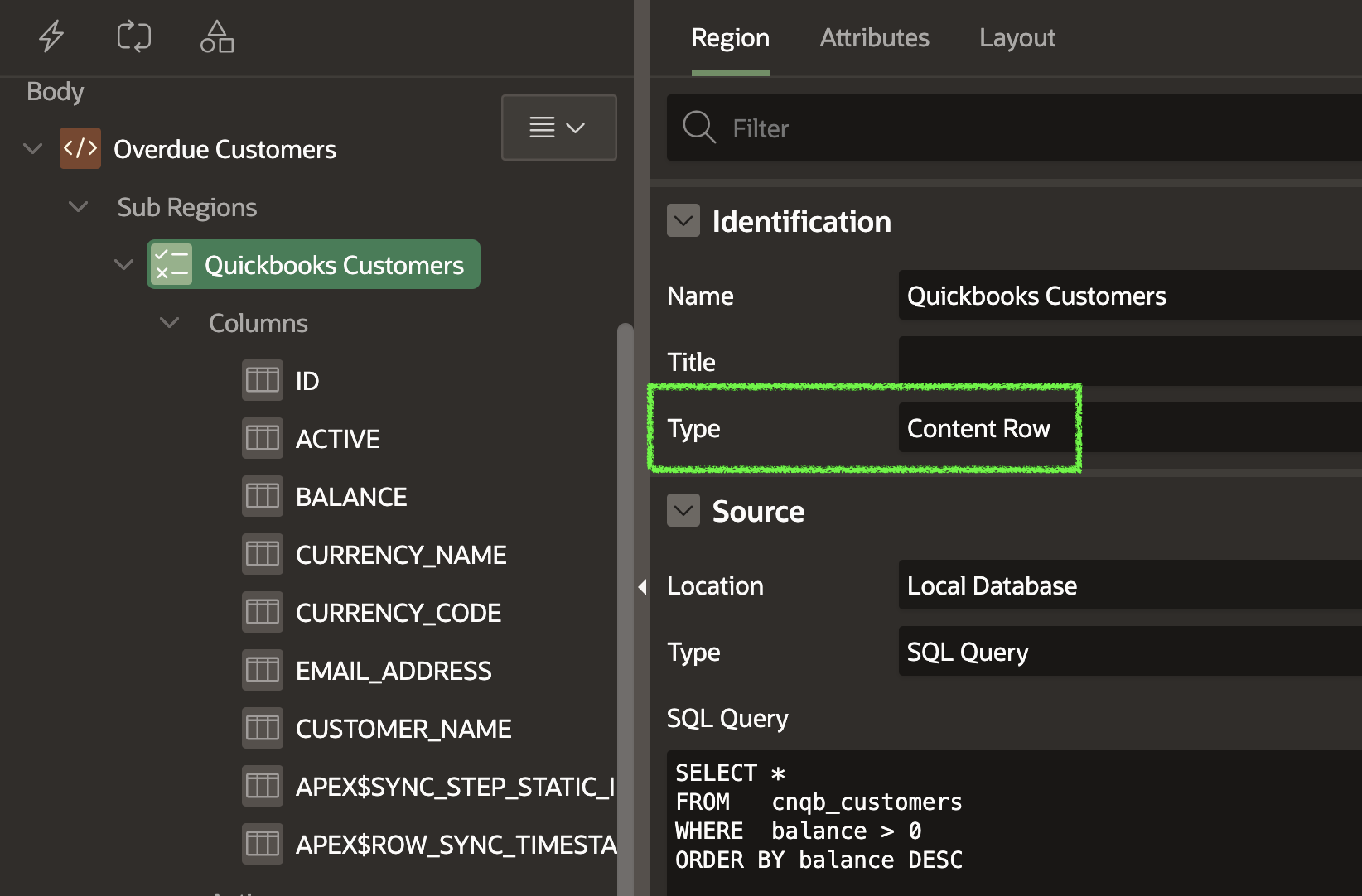
I created a simple Content Row Template Component based on a table of customers.
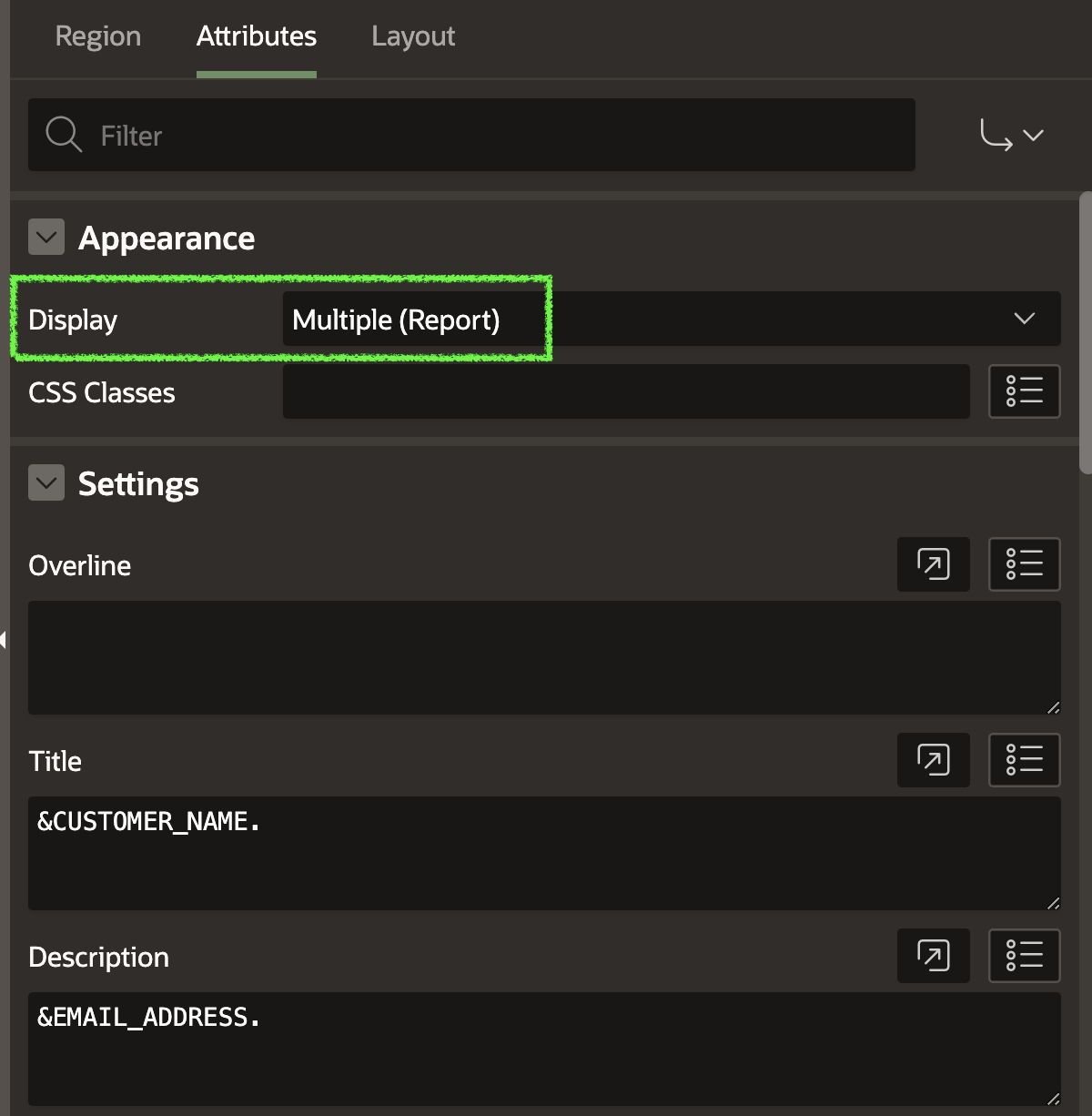
Note: For this feature to work, the Display Attribute under Appearance must be set to Multiple (Report).
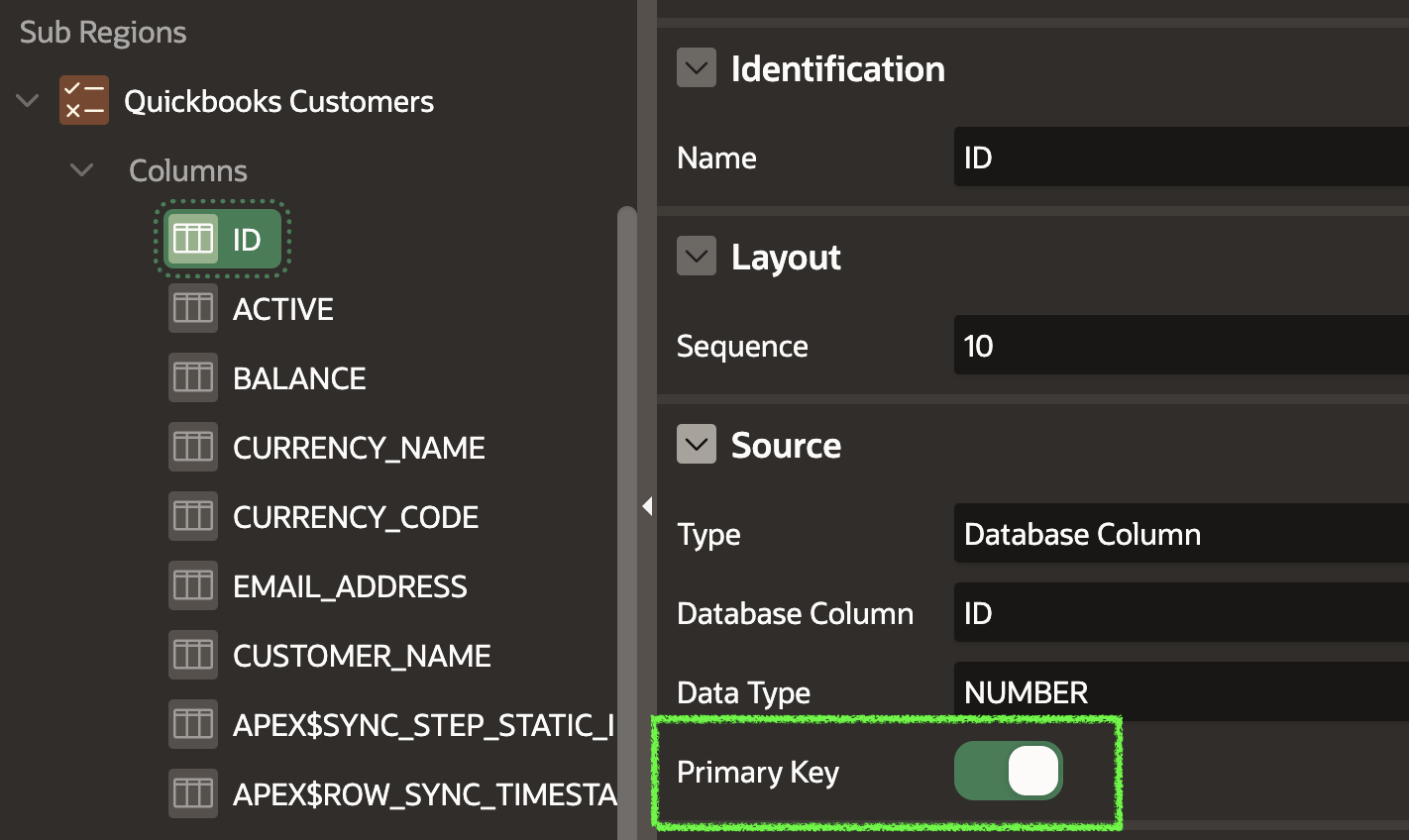
Identify the Primary Key
We must identify the Primary Key column. APEX will maintain a ':' limited list of Primary Key values for the row(s) the user selects. In this case, the ID column uniquely identifies a record in the result set.
Create Required Page Items
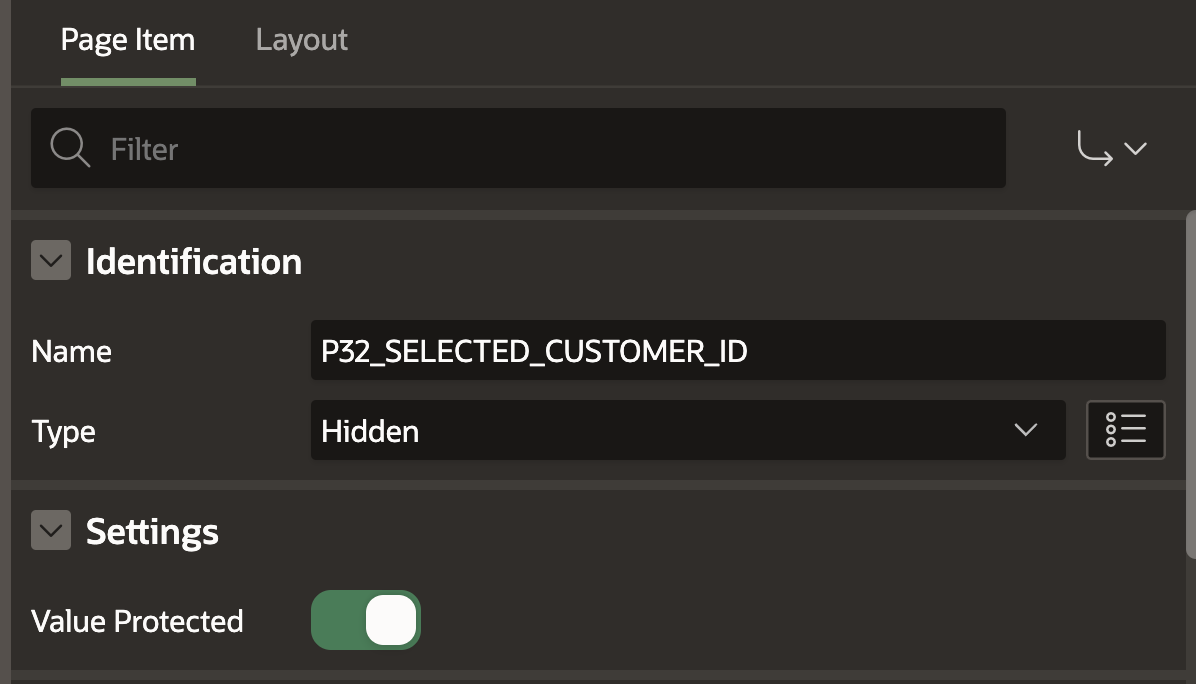
The next step is to create two new page items. The first item is a hidden item used by APEX to store the ':' delimited list of primary key values.
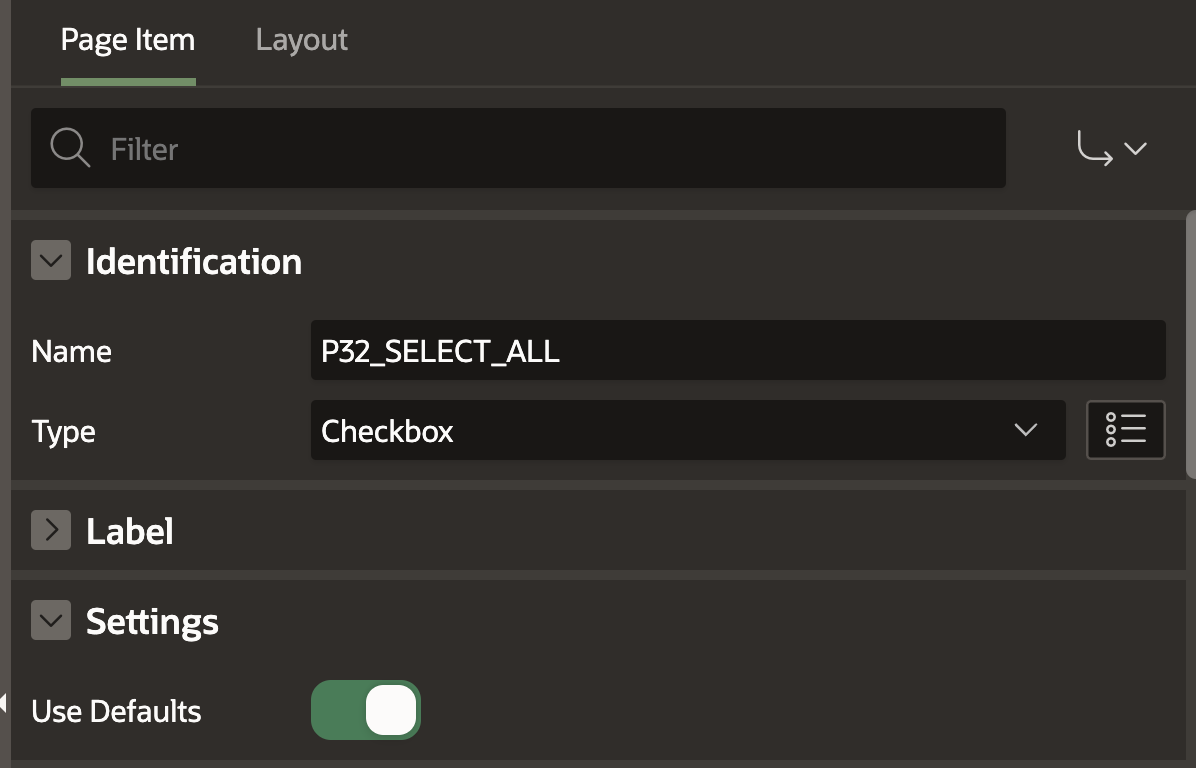
The second item is optional. If included, it must be a 'Checkbox' item type. APEX will use this item to control the Select All / Un-Select All functionality.
Configure Row Selection
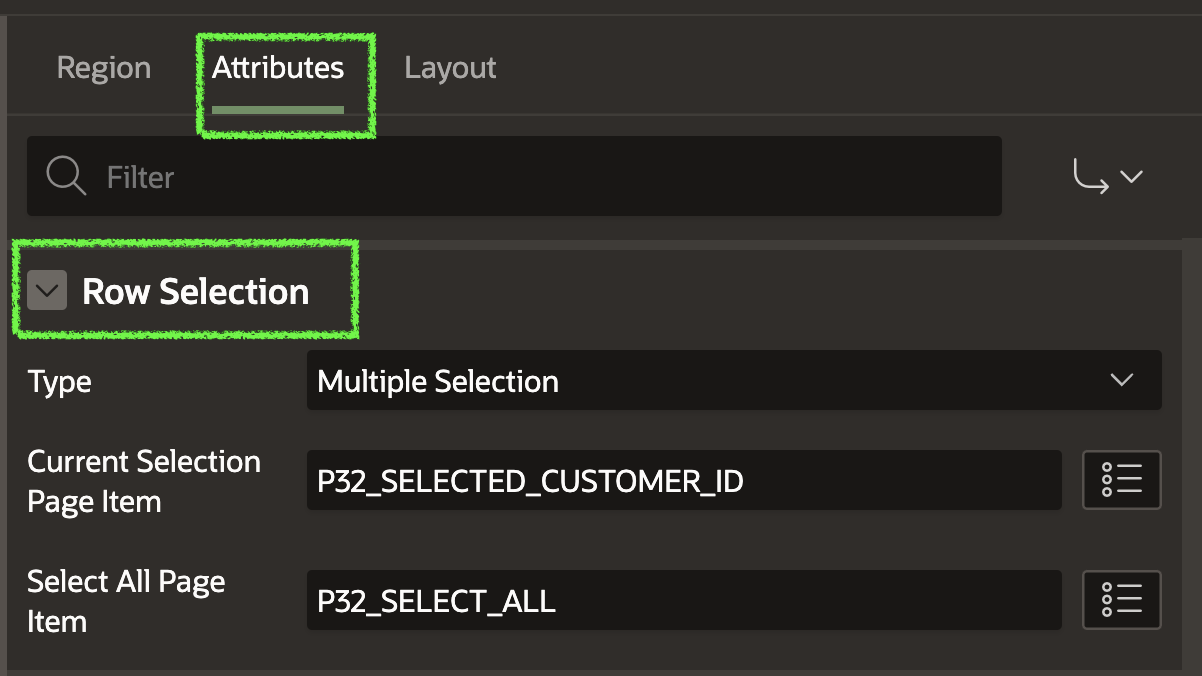
Type
Focus only: This option enables setting the focus to a selected row. No page items are required or populated. It is used to improve accessibility or keyboard navigation.
Single-Selection: Enables single-row selection.
Multiple Selection: Enables multiple row selection.
Current Selection Page Item
- Reference the page item used to store the selected Primary Key values.
Select All Page Item
- Reference the page item Checkbox to enable the Select / De-Select All functionality.
Using the Selected Primary Keys
As we know, the page item P32_SELECTED_CUSTOMER_ID is being used to capture the selected Primary Key values. If we select several rows and then inspect the page, we can view the ':' delimited list of Primary Key values:

We can reference the list of Primary Keys using the below SQL:
SELECT *
FROM   cnqb_customers
WHERE  id MEMBER OF (SELECT apex_string.split_numbers
                             (p_str => :P32_SELECTED_CUSTOMER_ID,
                              p_sep => ':')
                     FROM dual);
Template Component Configuration
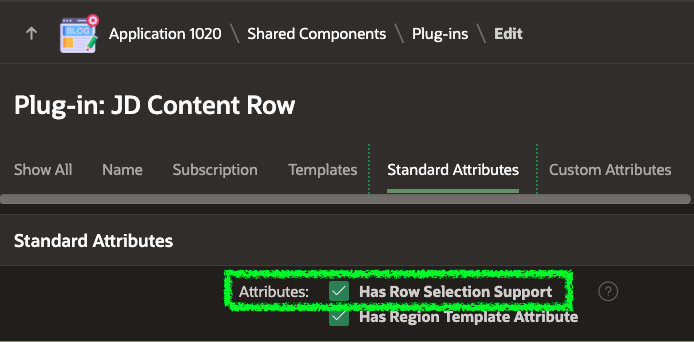
A new setting, Has Row Selection Support, controls whether row selection is available when building your own template components (or customizing the out-of-the-box templates).
Other Standard Template Components
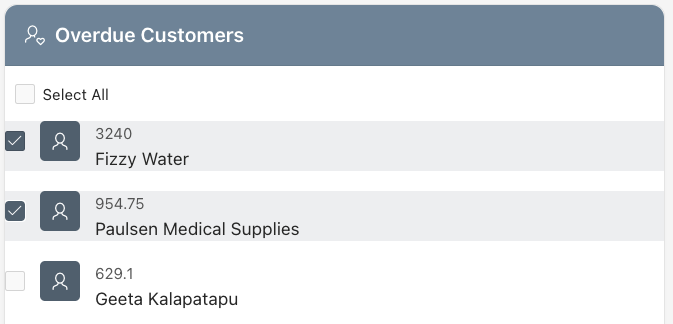
Medial List
The Media List template component offers a more compact view when selecting from lots of records.
Comments
Timeline
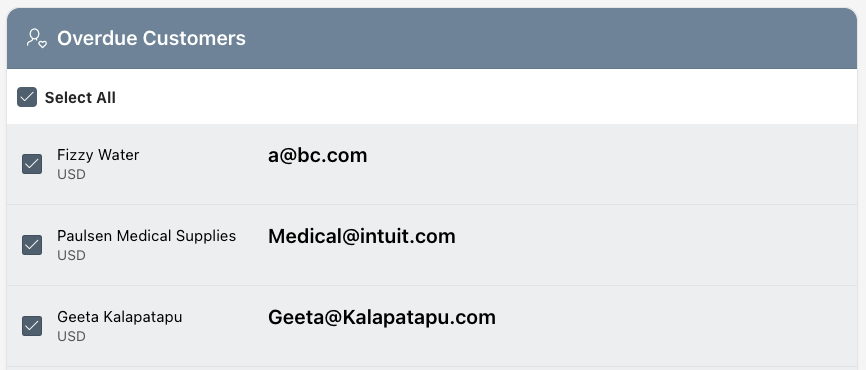
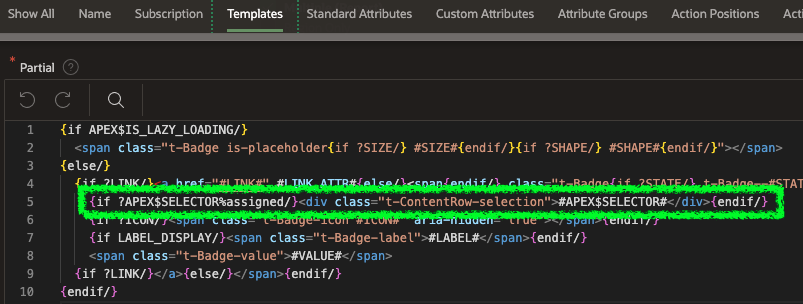
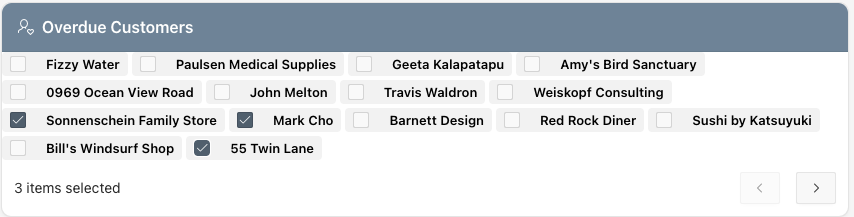
The standard Badge and Avatar Template Components do not support row selection out of the box. You can add row selection to the badge Template Component by copying the standard Badge Component and including the following DIV in the Partial attribute.
{if ?APEX$SELECTOR%assigned/}<div class="t-ContentRow-selection">#APEX$SELECTOR#</div>{endif/}
This results in a very compact selection widget:
My Thoughts
This new functionality brings a clean, low-code method for selecting records from a Template Component.
When you provide a 'Select All Page Item', APEX displays a 'Load All' link. Clicking this link will fetch all of the records in the query.
The new feature maintains selections across pages.
Because this feature has been incorporated into Template Components, you have almost complete control over the appearance of your report.
Room for Improvement
While testing this new feature, I found that the Row Selection feature does not maintain selections across pages if:
You use an Order By Item and change the sort order of the query.
You combine the template component with a Faceted Search or Smart Filter and aff/remove filter criteria.
This prevents you from using this feature for multi-row selects when you have a large data set.
Conclusion
I think this is a nice addition to Template Components. It provides developers with an easy method for allowing users to select one or multiple records from a report that they have complete control over styling.
About the author
- I’m Jon Dixon, an Oracle APEX developer and consultant at Cloud Nueva. I write about APEX, ORDS, the Oracle Database, and how AI is changing the way we build software. This blog is where I share practical examples, lessons learned, and ideas from my work.
Comments
Join the discussionCould we achieve the same functionality using an interactive report or grid with the new features in APEX 24.1 (without additional JavaScript)?"